01
Eyes-up timing
Start and stop plays with the physical volume buttons. No hunting for an on-screen button while the ball is live.
▸ 02 / Live Game Tagging
Tag the game as it happens.
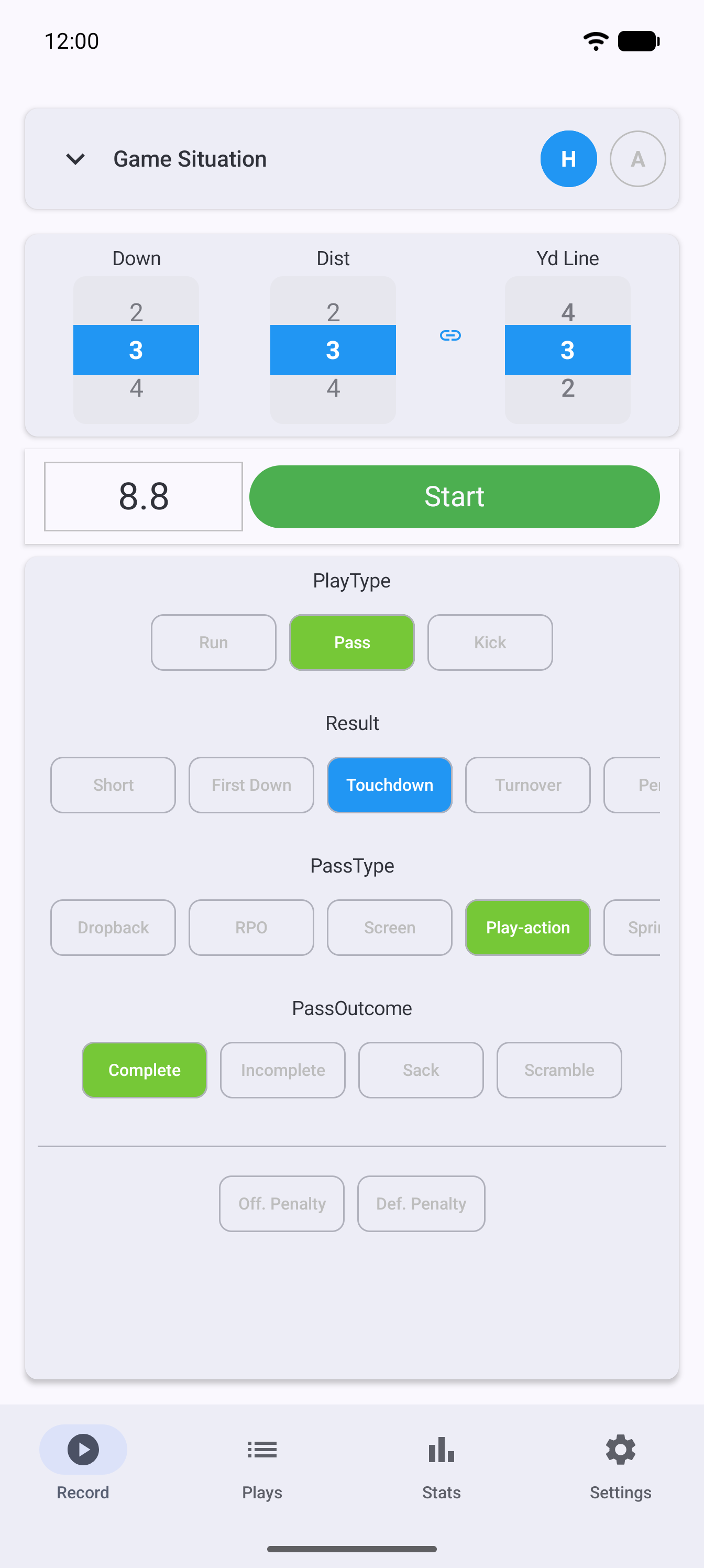
SnapTracker lives in one hand on the sideline. Volume buttons start and stop the play clock so your eyes stay on the field; quick tags capture down, distance, play type, and result in the dead time between snaps. Smart state transitions fill in what can be inferred, and by the final whistle you have a fully tagged game — with professional-grade stats already computed — ready to export.
01
Start and stop plays with the physical volume buttons. No hunting for an on-screen button while the ball is live.
02
Technical tags (run scheme, pass concept, kick type) and game-impact tags (result, turnover, penalty) — a structured system, not a free-text box.
03
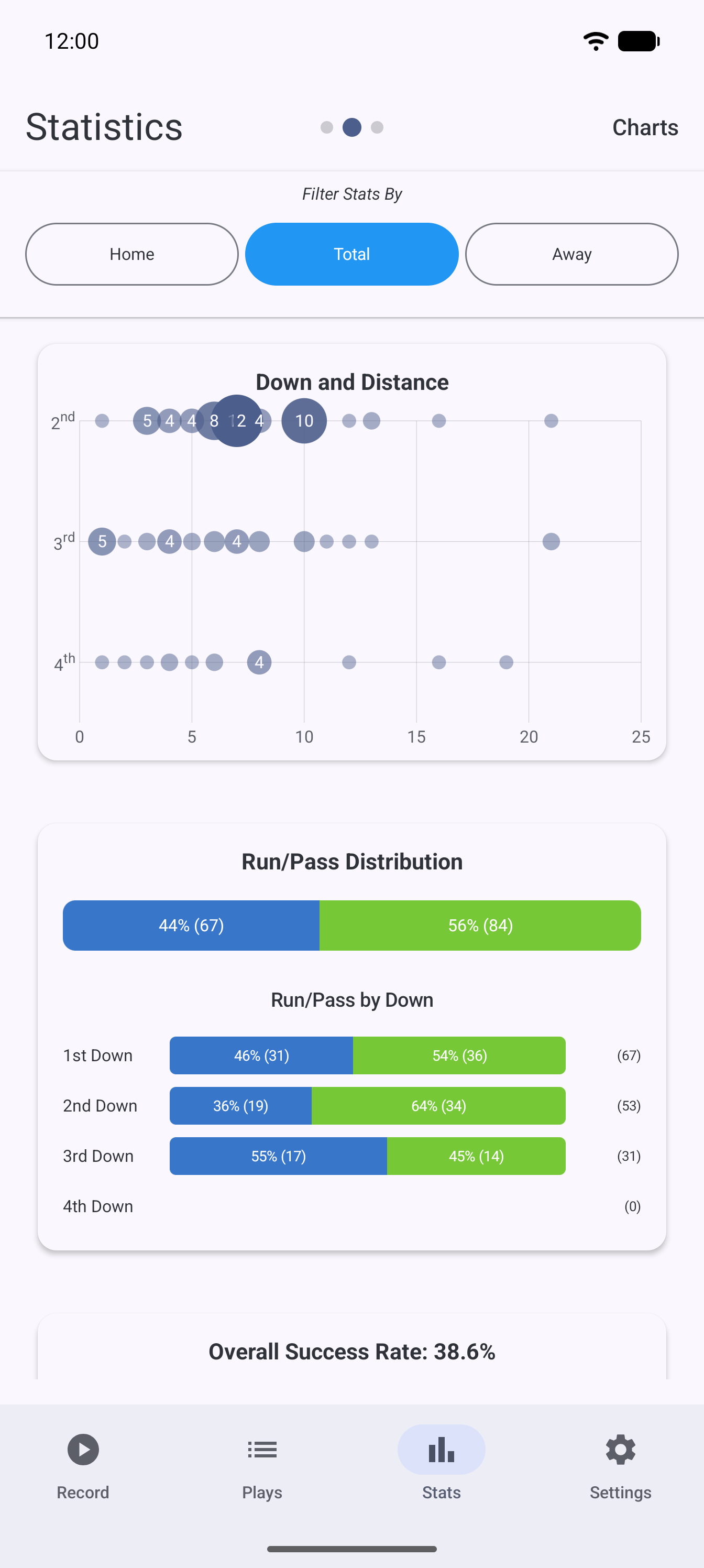
Success rate, explosiveness, SP+-style efficiency, down-and-distance tendencies — computed live, on the device, as the game is played.
04
Distance links to yard line, states transition automatically after scores and turnovers — the app keeps the bookkeeping so you keep watching.
05
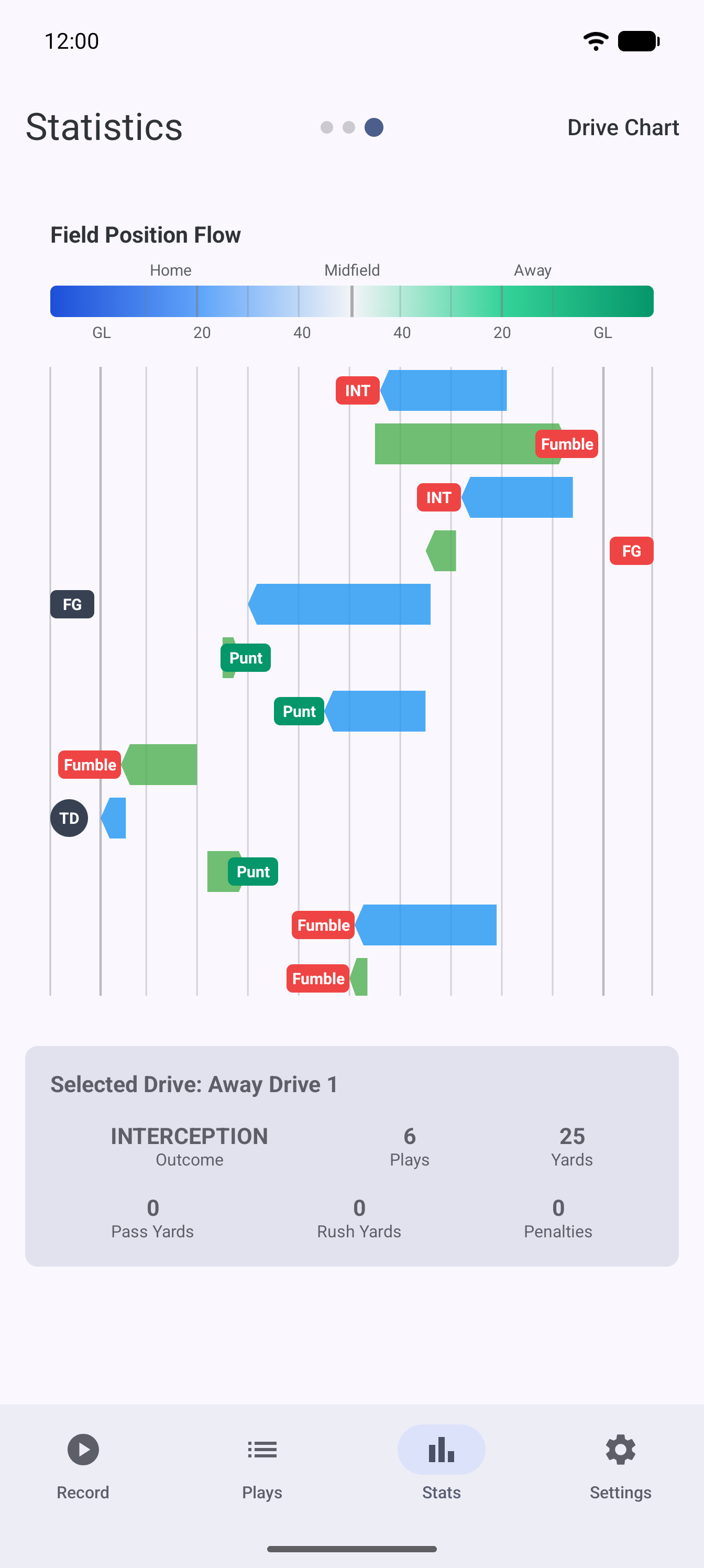
Run/pass tendencies and down-distance charts on the device, for the halftime conversation that needs evidence.
06
Push every play to a public SnapCount page as you tag it, so anyone with the link can follow the game while it is still being played. It needs SnapCount and live access we grant by hand — one pairing per phone, then any game can go live.
07
CSV export that SnapCount and SnapStudio read natively — and any spreadsheet can open. That file and the live link are the only two ways your football data leaves the phone, and both are yours to hand out. Free with an account, like everything else here. No lock-in, ever.
08
Tag 50 plays a game with no account at all. Create a free Snap-Central account and every cap comes off — unlimited plays, multiple games at once, edit mode and CSV export. There is nothing to buy.
The app is in active development and demos are free — tell us about your program and we’ll walk you through it.